> For the complete documentation index, see [llms.txt](https://docs.dexkit.com/produtos-e-solucoes-defi-pt/llms.txt). Markdown versions of documentation pages are available by appending `.md` to page URLs; this page is available as [Markdown](https://docs.dexkit.com/produtos-e-solucoes-defi-pt/dexappbuilder/gerenciando-esta-ferramenta/construindo-secoes-personalizadas.md).
# Construindo seções personalizadas
Você quer ir além do básico e está procurando aprender a criar seus próprios designs radicais para sua DApp? Você está no lugar certo 👩🎨
Nesta seção você aprenderá **como criar uma página com seção personalizada** **para seu DApp**, que lhe permitirá o mais alto nível de personalização possível.
## À direita da sua tela
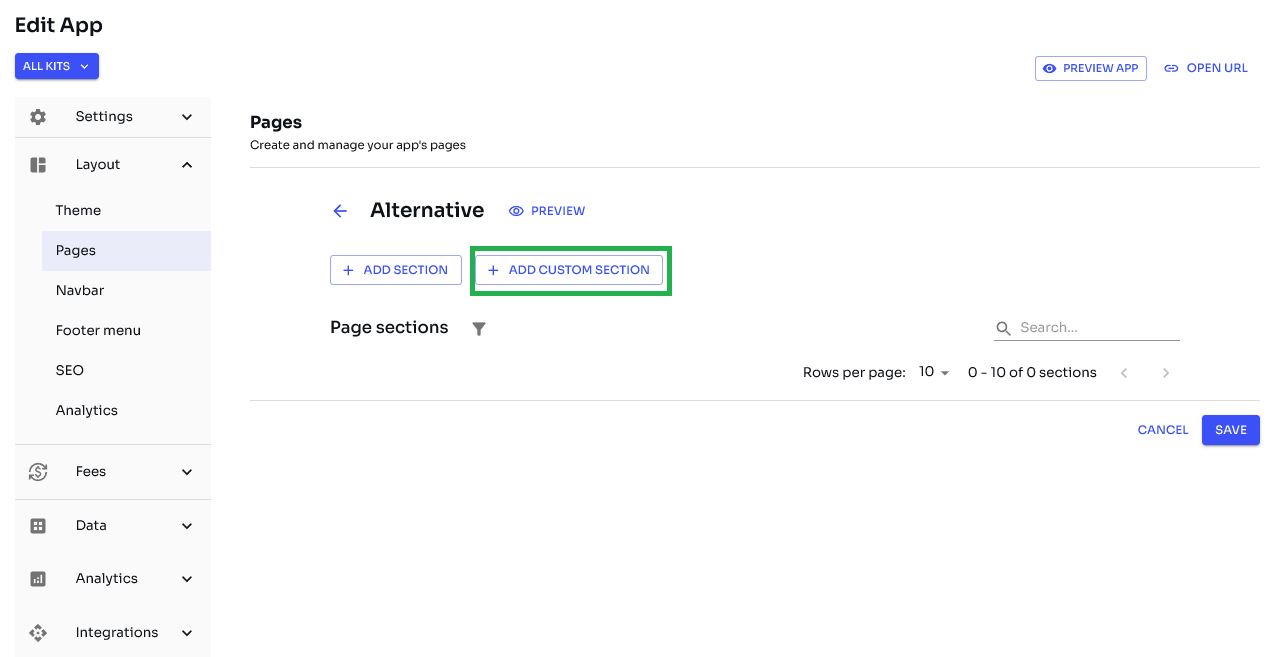
Após clicar em **«ADICIONAR SEÇÃO PERSONALIZADA»** o botão você verá o layout abaixo com um menu popup à direita com algumas opções
Agora clique no  opção no centro da tela e espere o menu esquerdo aparecer
{% hint style="info" %}
Lembrete: Você precisa arrastar o bloco selecionado para a posição que deseja dentro do editor de seções.
{% endhint %}
### Blocos / componentes disponíveis \*
| Layout | Ativos genéricos | Terceiros / Diversos | Cripto |
| ---------------- | -------------------------------- | ------------------------- | --------------------------------- |
| Plano de fundo | Botão | Linha do tempo do Twitter | Coleção |
| Trecho de código | Imagem | Vídeo (YouTube ou Vimeo) | Contrato |
| Contêiner | Vídeo HTML5 | | Contrato do formulário do usuário |
| Divisor | Widget (HTML/Script customizado) | | Plugin de swap |
| Espaçador | Trecho de código | | NFT |
| Empilhar | | | Lista de NFTs |
| Buscar NFT | | | Seção de ativos |
| Carrossel | | | Banner da coleção |
| Texto | | | Formulário DexGenerator |
| | | | Plugin de troca |
| | | | Recebimento de moeda via QR |
| | | | Troca de token |
\[\*] Adicionaremos mais blocos e recursos conforme a demanda.
Agora que você está familiarizado com esta seção, **deixe sua imaginação correr solta e crie o melhor DApp já imaginado!** ✨
---
# Agent Instructions
This documentation is published with GitBook. GitBook is the documentation platform designed so that both humans and AI agents can read, navigate, and reason over technical content effectively. Learn more at gitbook.com.
## Querying This Documentation
If you need additional information that is not directly available in this page, you can query the documentation by asking a question.
Perform an HTTP GET request on the following URL with the `ask` and `goal` query parameters:
```
GET https://docs.dexkit.com/produtos-e-solucoes-defi-pt/dexappbuilder/gerenciando-esta-ferramenta/construindo-secoes-personalizadas.md?ask=&goal=
```
`ask` is the immediate question: it should be specific, self-contained, and written in natural language.
`goal` is what the user is ultimately trying to achieve, the reason they need the answer. Sharing it helps GitBook give you a better, more relevant answer. A goal is most helpful when it describes the outcome the user wants rather than restating the question. For example, with `ask=how do I create an API token`, a goal like `automate deployments from our CI pipeline` lets GitBook tailor the answer to that use case.
The response will contain a direct answer to the question and relevant excerpts and sources from the documentation.
Use this mechanism when the answer is not explicitly present in the current page, you need clarification or additional context, or you want to retrieve related documentation sections.